

Alert the right people the moment critical feedback lands
Critical responses surface in seconds, not when someone logs in.


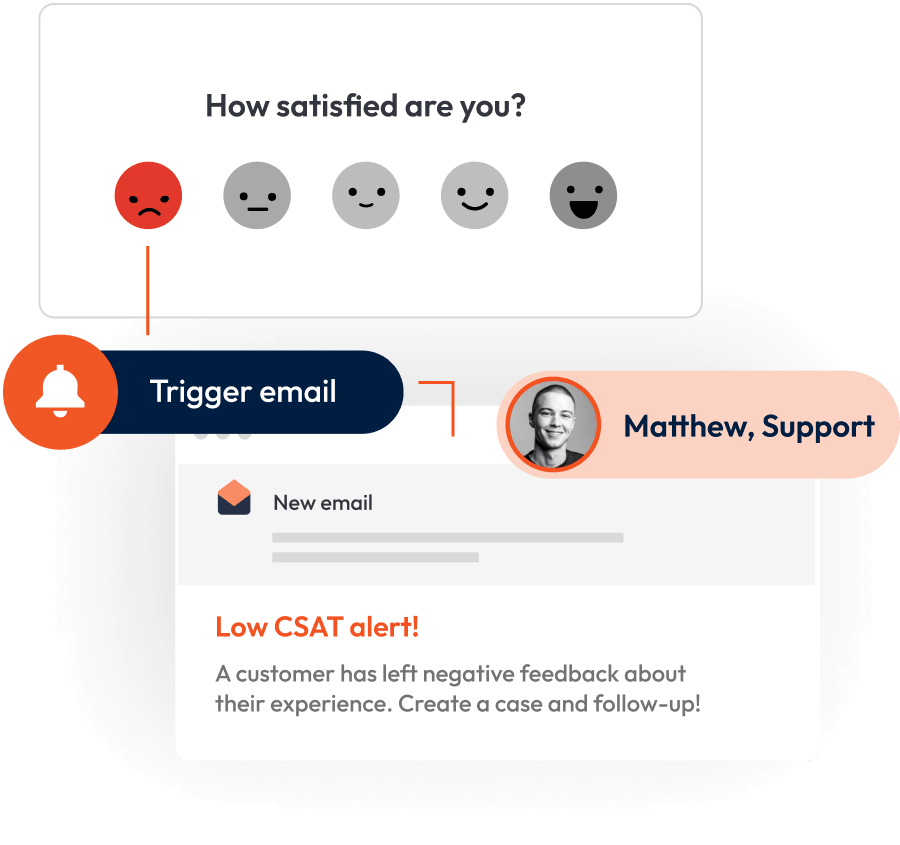











From manual checking to instant alerts
The Old Way
You export responses to a spreadsheet and scan rows looking for low scores
A complaint sits in the results for days before the right person hears about it
Your team emails CSV exports around to flag issues, with no clear owner on follow-up
Someone has to remember to log in and manually check for new responses
With Triggers & Alerts
Low scores surface immediately, with alerts triggered by the conditions you set
Critical feedback reaches the right person in minutes, not days, ready to act
Each alert routes to a specific team or manager based on location, department, or score
Every new response sends a notification directly, so nobody needs to log in and check
See conditional email triggers in action.
Try the product tour below.
Every alert lands to the person who can act
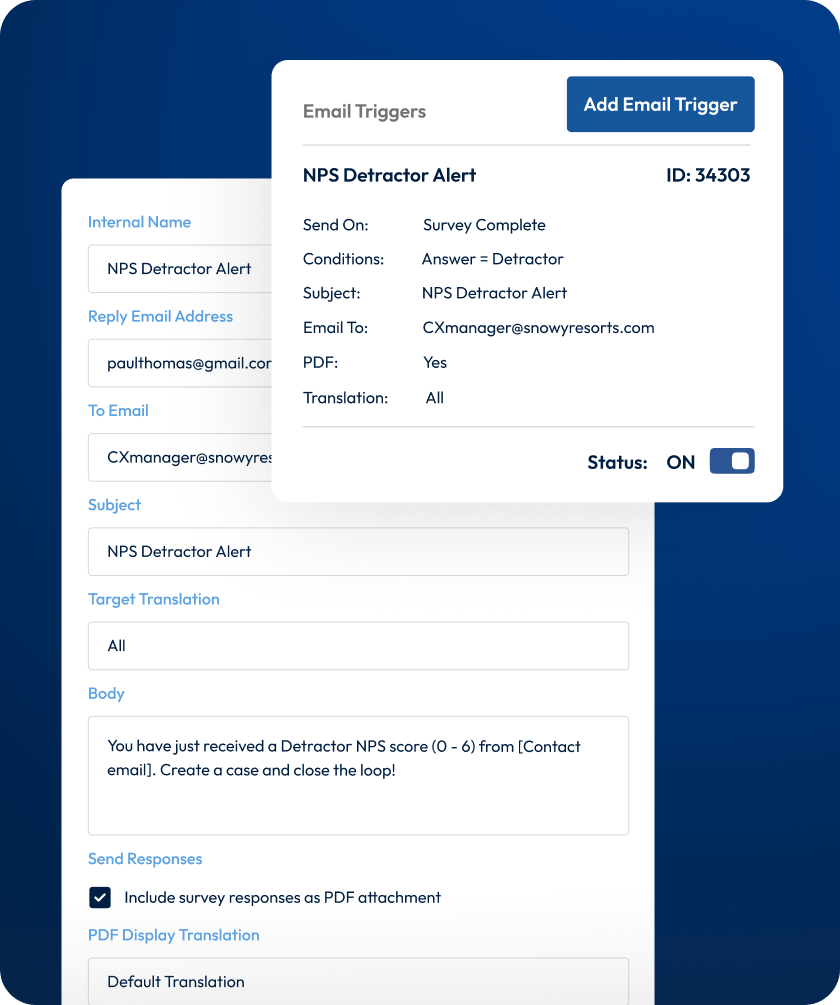
Customise the conditions for alerts down to the granular level.
Set conditions with logic
Use the same conditions builder as skip logic.
Notify multiple people at once
Add several recipients to a single trigger.
Target by score, location, or role
Each alert goes where it can be acted on.
Stay informed without needing to log in
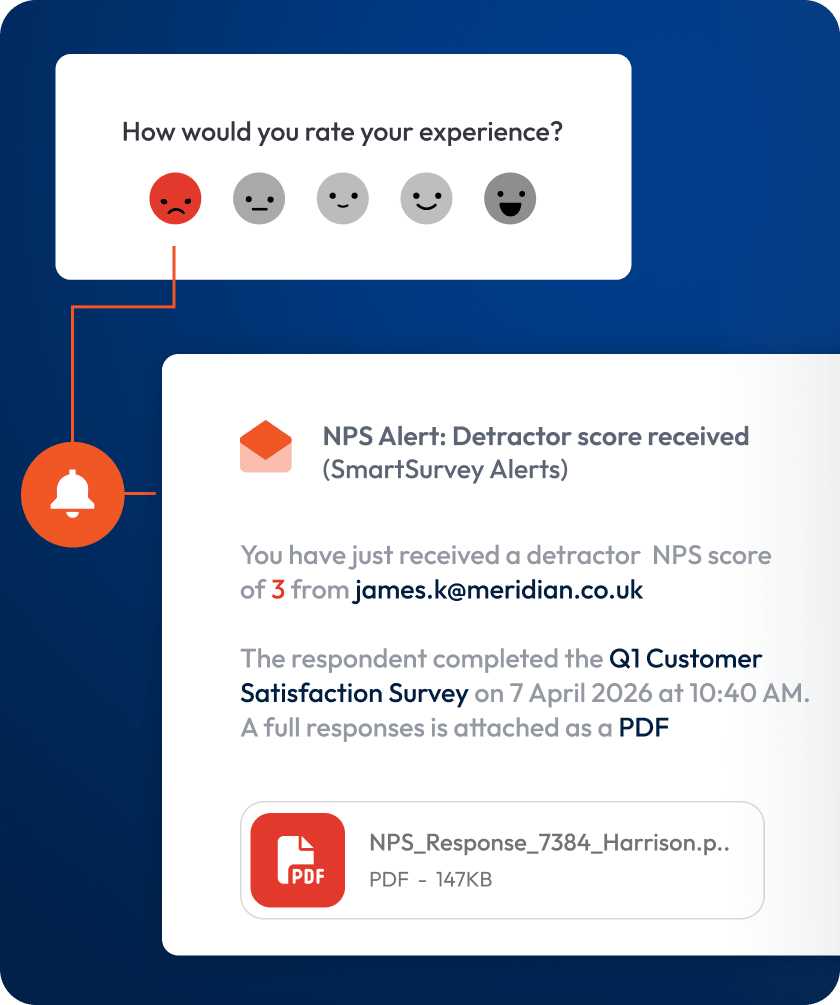
Get updates on every response straight to your inbox.
Receive alerts on every response
Each new completion or certain scores sends a notification.
Attach response PDFs automatically
Review full answers without opening a browser.
Control which surveys trigger alerts
Set up notifications per survey, not account-wide.
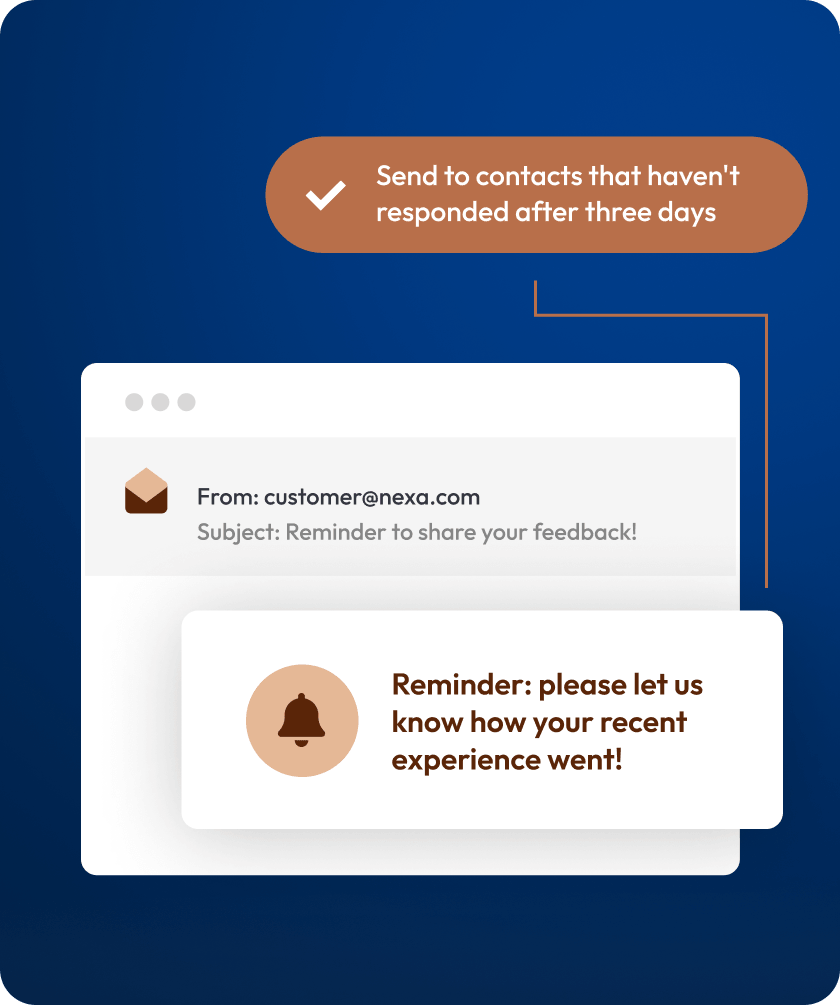
Push engagement with smart reminders
Nudge non-completers without bothering those who finished.
Send automated follow-up emails
Remind people who started but did not finish.
Exclude completed respondents
Only those who have not responded get nudged.
Boost response rates over time
A well-timed reminder recovers lost replies.
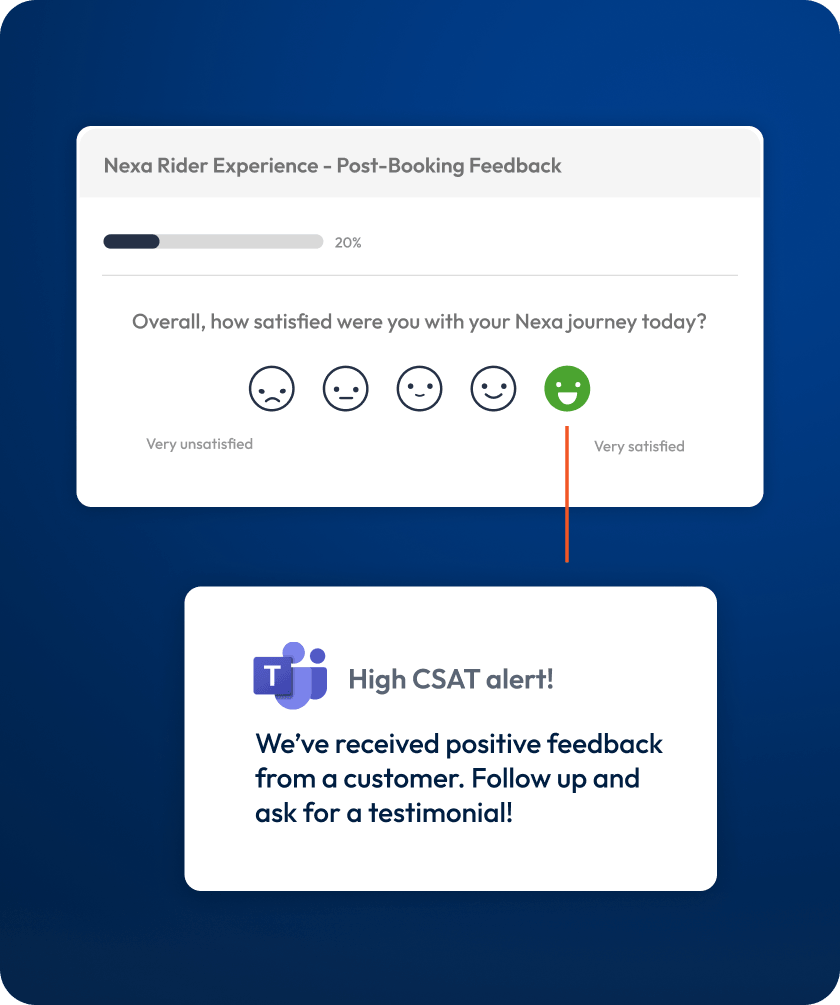
Push alerts straight into your techstack
Route trigger data to the tools your teams already work in.
Send alert data to any endpoint instantly
Webhooks fire when a response meets your conditions.
Route alerts into Slack or Teams channels
Critical feedback appears where your team already works.
Feed trigger data into your systems or data warehouse
Use the API and native integrations to push data.
Frequently asked questions
SmartSurvey connects with the tools your organisation already relies on. Embed surveys into websites and apps, sync contact data with Salesforce or HubSpot, and send response data to Power BI for deeper reporting. For anything custom, our API and webhook access let you build integrations with CRMs, data warehouses, or any internal system.
SmartSurvey is ISO 27001 certified and holds Cyber Essentials Plus accreditation. All data is encrypted using TLS in transit and AES at rest. We are fully GDPR compliant and offer localised data storage options, so your information stays where your policies require it.
Yes. We offer a personalised demo where our team walks you through the platform using your own use case. You can also access a trial to test features hands-on before committing. Request a demo to get started.
Pricing depends on your requirements, including the number of responses, users, and features you need. Our team can recommend the right plan for your organisation. Book a demo to get started.
SmartSurvey gives you a full signal-to-action chain inside one platform. Build advanced surveys with logic and personalisation, distribute them across email, web, SMS, and QR codes, and route alerts to the right people the moment specific responses come in. Conditional email triggers, webhooks, and native integrations with Slack, Teams, and your CRM mean you can act on feedback without switching tools.
Conditional email triggers send a notification to a specific person or team when a response meets the conditions you define. You set the rules using question answers, scores, tracking links, or custom variables, and the trigger fires automatically for every qualifying response.
Yes. You can create multiple triggers on a single survey, each with its own conditions and recipients. A low satisfaction score at one location can alert the site manager, while a complaint at another goes straight to the regional lead. Route by score, answer, location, or any custom variable.
No. Conditional email triggers use the same logic builder as skip logic and display logic. If you have set up question logic before, you already know how triggers work. The interface lets you build rules with AND/OR conditions without writing any code.
Yes. SmartSurvey offers native integrations with Slack and Microsoft Teams, so alerts go directly to the channels your team already monitors. Combined with conditional email triggers and webhooks, you can route feedback to whichever tool fits each team's workflow.
See SmartSurvey in action


