

Top 10 Best Online Survey Tools in 2026 (Free & Paid)
Choosing the right survey tool can feel overwhelming when there are hundreds of options out there. This guide compares the top 10 survey platforms for 2026, based on real user ratings across four major review sites, features, security, and value for money. SmartSurvey leads the pack for overall user satisfaction (4.55 average), offering the best combination of enterprise features, UK data storage, and no usage-based pricing - plus the only consistently high ratings across all platforms including Trustpilot, where competitors like SurveyMonkey, Qualtrics, and Typeform see significant rating drops.
What you'll learn in this post:
- How each of the 10 leading survey tools ranks across Capterra, G2, Software Advice, and Trustpilot
- The average rating for each platform across all review sources
- Which platform is best for your specific use case (complex research, interactive surveys, basic forms, etc.)
- The key features, pros, cons, and pricing for each tool
- Unique statistics and market data for each platform to inform your decision
- Why data security and storage location matter when choosing survey software
- How to evaluate survey tools based on your goals and budget
- A five-step framework for selecting the right platform for your organisation
There are hundreds of online survey tools on the internet. And while having such a vast choice can be a good thing, it can also make picking one survey platform from a pool of many tremendously difficult.
To save you some time and effort, we've done all of the research for you. After closely reviewing dozens of survey tools, we've narrowed down our selection to a final ten, reviewed below.
And if you end up struggling with making a decision, at the end we've provided you with five easy steps you should follow to find the right survey tool for you. But before we closely review any of the online survey tools we've selected, let's first take a closer look at how the public has rated each one of them.
The 10 best online survey tools in 2026 – as rated by the public
When choosing a survey tool, social proof is key. Below, we’ve gathered the online rating of all ten survey platforms across the three leading software review sites: Capterra, G2, and Software Advice.
Ratings accurate as of March 2026
Notes on Trustpilot ratings:
- Google, Microsoft, and Zoho Trustpilot scores are company-wide ratings, not product-specific
- Trustpilot ratings often reflect broader company issues (billing, support, other products) beyond the survey tool itself
Based on cross-platform ratings, the survey tools with the highest average scores are SmartSurvey (4.55), Zoho Survey (4.43), QuestionPro (4.35), and SurveyMonkey (4.20). Notably, SmartSurvey is the only platform with consistently high scores (4.4+) across ALL review sites including Trustpilot, while competitors like Qualtrics, Typeform, SurveyMonkey, and Microsoft show significant gaps between professional review sites and consumer ratings.
SmartSurvey – best overall choice
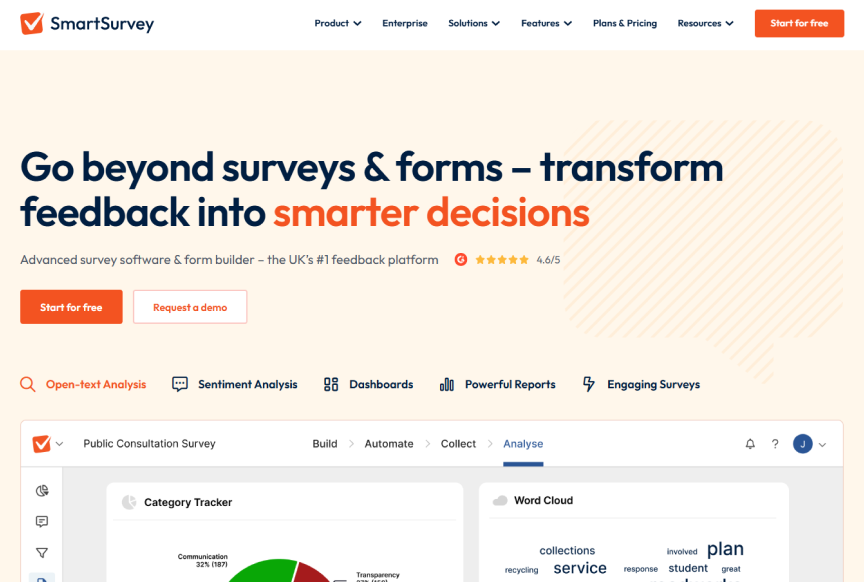
SmartSurvey is the UK's leading online survey builder. Founded in 2010, SmartSurvey has been at the forefront of helping survey makers create, distribute, and analyse surveys, web forms, and questionnaires.
Key stat: SmartSurvey has processed over 3 billion survey responses and maintains a 99.9% uptime record over the past 5 years, with a guaranteed SLA of 99.95%.
The multi-award-winning online survey tool has been trusted by over 600,000 users, including the NHS, HSE, Royal London, Cabinet Office, and BAE Systems. And it's easy to see why.
SmartSurvey is scalable, affordable, flexible, and very easy to use. To give you a better idea of what you can expect from SmartSurvey, let's take a look at eight of the platform's top features.
Top 8 features of SmartSurvey
To use SmartSurvey, users can either go for the free survey maker (free forever - no credit card required) or pick one of the premium plans available. These include Advanced, Growth, and Full Access.
The Advanced and Growth plans are annual subscriptions while the cost of the Full Access plan will be bespoke to your needs. SmartSurvey also has a Student plan and a Not-for-profit plan, which can save eligible users up to 50% off the price of their plan.
Pros
- Response data stored in the UK by default, with regional storage available
- Unlimited surveys and questions on paid plans
- Smart logic and branching that adapts surveys to each respondent
- 130+ ready-to-use templates so you're never starting from scratch
- Powerful enough for complex programmes, simple enough to use on day one
- WCAG 2.2 compliant surveys that every respondent can complete
- AI tools for sentiment analysis, thematic coding, and key driver detection
- Run surveys in 56 languages with AI translation that converts responses back into your language for analysis
- AI-calculated ROI reporting so you can prove the value of your feedback programme in hard numbers
- Reputation management that centralises Google and Trustpilot reviews alongside survey data
- Case management to assign follow-ups, track status, and close the loop on feedback
- Full white-label branding avialable
- Offline and kiosk mode for fieldwork and in-person research with no internet connection
- Free plan available, no credit card required
- 14-day free trial on all premium plans
Cons
- Most advanced features are reserved for paying customers
- SmartSurvey's user interface is only available in the English language


Qualtrics – best for complex research projects

Qualtrics is one of the more complex online survey builders on this list. As a result, it's predominantly used by large businesses and organisations who require a survey tool with enterprise-grade capabilities.
Key stat: Qualtrics generates approximately $1.4 billion in annual revenue and holds a 49.77% market share in the employee engagement software category. Over 81,000 companies worldwide use the platform.
To give you an idea of what you can expect from Qualtrics, here's a list of the platform's flagship features:
- Real-time reporting
- Predictive analytics
- AI-driven insights (Stats iQ and Text iQ)
- Advanced skip logic and branching
- Advanced question types
- Multiple users can collaborate on the same survey
- Multi-channel distribution
- Ability to export results in multiple file formats
With all that in mind, one major downside to Qualtrics is the steep learning curve involved in using the platform. If you've never used a survey builder before, you'll most likely have to spend some time figuring out the platform and its features so you can make the most of it.
Another downside to Qualtrics is associated with the cost. Although the exact cost of the tool is not public information, it is widely known that Qualtrics is amongst the most expensive online survey tools on the market. Reports suggest pricing starts around $120 per user per month for Qualtrics Core XM. So, if you're ready to face the learning curve and pay a substantial amount of money to conduct your surveys, Qualtrics can be a good survey platform for you.
What's worth mentioning is that Qualtrics has a free plan. And although most of the features that the platform is known for are locked behind a paywall, the free plan will still give you a decent idea if Qualtrics will be worth your time and money. With the free plan, users can create up to three surveys at any one time, add up to 30 questions, and get up to 500 responses per survey.
Pros
- It's a great choice for complex research projects
- Suitable for users looking at creating customisable surveys
- Users can export results in multiple file formats
- Advanced analytical and reporting features
- AI-powered text and stats analysis
Cons
- It's one of the most expensive online survey tools available
- Most users will have to go through a steep learning curve
- Customer support often requires third-party consulting firms


Google Forms – best free survey tool

Google Forms is a free and simple online survey builder. The ease of use combined with the lack of cost associated with using the platform make it a popular choice amongst users looking at creating, analysing, and distributing simple surveys.
Key stat: Google Forms holds 47.27% market share in the survey software category, with over 559,000 companies actively using the platform. Education is the largest user segment, representing 14% of total users.
And although the US-based survey platform is free to use, it still has quite an impressive set of features, some of which include:
- A library of 17 different survey templates
- 11 different question types
- Response validation
- Seamless integration with Google Sheets
- Ability to view responses in real time
- Auto-generated summary of responses
- Effortless sharing and team collaboration
Since the platform is free to use, the platform's main base of users are students, individuals, and small companies and organisations.
Pros
- No steep learning curve
- It's free forever
- Unlimited surveys, questions, and responses
- Decent analytical and reporting features
- Effortless team collaboration and sharing
Cons
- Limited customer support
- Limited design and customisation features
- No white label branding
- No advanced question types or skip logic
- Data stored on US servers

SurveyMonkey – best known name in surveys
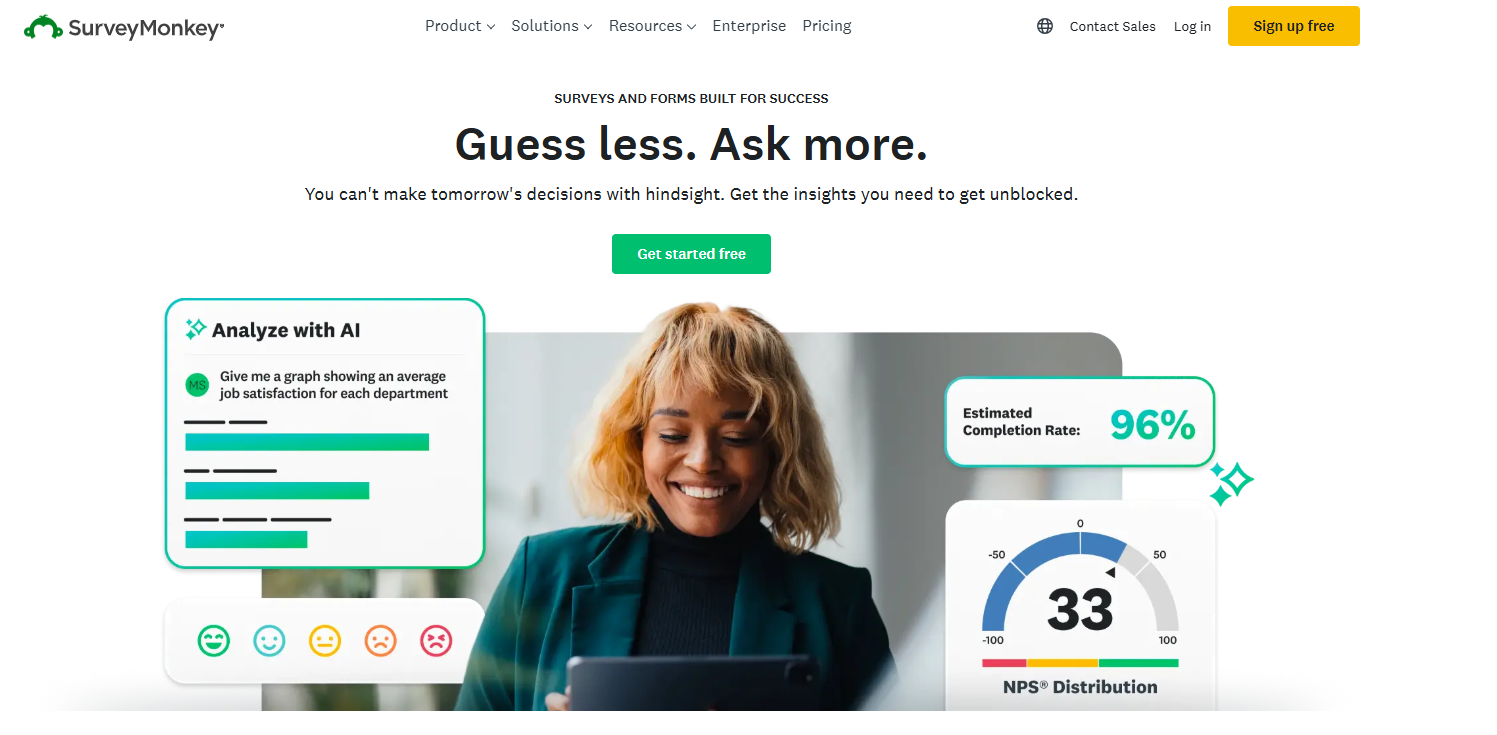
Founded in 1999, SurveyMonkey is one of the most recognisable names in the survey industry. Based in San Mateo, California, the platform claims to be trusted by over 300,000 organisations worldwide and offers access to a global respondent panel of 335 million people across 130+ countries.
Key stat: SurveyMonkey processes over 20 million questions answered daily and offers 500+ templates plus a question bank with 20,000+ pre-written questions. However, their Trustpilot rating of 3.2/5 (with 62% being I-star reviews) highlights significant customer concerns around pricing and plan limitations.
Here's what SurveyMonkey offers:
- AI-powered survey creation and analysis tools
- 500+ customisable templates for various use cases
- Built-in research methodologies (NPS, MaxDiff, Key Driver Analysis)
- Integration with 200+ business tools including Salesforce and HubSpot
- Global audience panel for market research
SurveyMonkey offers individual and team plans. Individual plans start at $30/month for the Standard Advantage tier, while team plans begin at $30/user/month. The free plan is notably restrictive, limiting users to 10 questions per survey and 25 responses per survey, which has drawn criticism from users who feel misled about capabilities.
Pros
- Well-known brand with extensive template library
- User-friendly interface suitable for beginners
- Strong integration ecosystem
- Built-in audience panel for market research
Cons
- Free plan extremely limited (only 25 responses viewable)
- Pricing frequently criticised as expensive for features offered
- Many advanced features locked behind higher-tier plans
- Trustpilot reviews highlight billing issues and customer service concerns

Alchemer – best for automations

Unlike most survey platforms, the core focus of Alchemer is to help survey makers create more personalised and engaging surveys. To do that, the Interactive Elements feature was introduced. What this feature does is it allows users to embed a variety of dynamic content in their surveys.
Key stat: Alchemer (formerly SurveyGizmo) holds the highest customer service rating among survey tools on Software Advice. The platform scores a perfect 5.0/5.0 for "Multiple Question Types" and "Customisable Questions" features.
It can be anything from images and videos to JavaScript code. And while this feature is definitely one of Alchemer's USPs (unique selling points), some other notable features this US-based survey platform offers include:
- A range of basic and advanced question types
- Advanced skip logic and branching
- Offline surveys
- Custom themes and branding
- Various survey distribution channels
- Mobile responsiveness
To use Alchemer, users have to pick from four different premium plans, which include Collaborator, Professional, Full Access, and Enterprise. If you were to pay month for month, each of the plans will cost you approximately £55, £165, and £250 per user respectively.
The cost of the Enterprise plan will be bespoke to your needs. However, if you are set on Alchemer and would be happy to pay for the platform annually, you can save up to 52% from your plan's total price.
Pros
- White label branding
- When billed annually, users can save up to 52%
- Mobile friendly
- Supports multilingual surveys
- Robust analytical and reporting features
- Super flexible in terms of design and customisation
Cons
- Can be quite expensive when paying monthly
- The mobile app can be quite limiting to some users
- Users often have to go through a steep learning curve

Microsoft Forms – best for quizzes, polls, and basic surveys

Part of the Microsoft 365 suite, Microsoft Forms is an easy-to-use and largely free online survey builder with the option to go premium. Due to its simple nature, it's predominantly used by students, individuals, and small companies and organisations.
Key stat: Microsoft Forms is part of the Microsoft 365 ecosystem used by over 1.2 billion people worldwide. The platform integrates natively with Excel, SharePoint, Teams, and Power Automate for seamless workflow automation.
Some of the platform's flagship features include:
- Basic branching and skip logic
- Response validation
- Ability to collect anonymous responses
- Collect and analyse results in real time
- Multiple distribution channels
- Seamless integration with other tools in the Microsoft 365 suite
Currently, anyone with a Microsoft account can take advantage of Microsoft Forms. However, there are some limitations. Using the free plan, users can create a maximum of 400 surveys, add up to 200 questions per survey, and get up to 200 responses. This can be quite limiting, but fortunately, there is a solution.
Users that want to bump up their response limit can do so by upgrading their Microsoft Personal account. It costs approximately £6.99 per month or £69.99 per year. That way, rather than getting your responses capped at 200, they will be capped at 1,000. If you want more responses, you'll have to look at either the Microsoft Apps for Business or the Microsoft 365 Education plan.
Pros
- There is no steep learning curve
- Safe and secure
- Anyone can use the tool for free
- Integrates extremely well with the Microsoft 365 suite
Cons
- Not suitable for complex research projects
- Limited customer support
- Limited question types and skip logic
- Limited surveys, questions, and responses
- Limited survey design and customisation

Typeform - best for interactive surveys

Using Typeform, survey makers can create interactive surveys, forms, and questionnaires that will truly engage respondents. The interactive surveys is Typeform's biggest selling point, and one of the reasons why over 1 million typeforms are completed every day.
Key stat: Typeform reported $141.1 million in revenue for 2024, representing 41% year-over-year growth. The platform produces millions of forms monthly and is used by major brands including Apple, Airbnb, Uber, and Nike.
And while this feature alone is enough to attract survey makers, it's far from the platform's only decent feature. Some other notable features you should know about include:
- Drop-off analysis
- Live chat support
- Conversion tracking
- Unlimited surveys and questions
- 500+ Zapier integrations
- Flexible survey customisation and design
- A variety of ready-to-use survey templates
- Advanced question types and skip logic
- AI-powered survey creation and analysis
With that said, most of the features we listed above are hidden behind a paywall. Currently, Typeform offers users the ability to choose from five different plans, including their free forever plan, Basic, Plus, Business, and Enterprise. The cost of each plan is £0, £25, £50, and £83 per month. The cost of the Enterprise plan will depend on your specific needs.
One major downside to Typeform is not only that there is a response cap on every plan, but that the response limit is also quite low. For instance, the Basic plan, which costs £25 per month will only allow you to get up to 100 responses each month.
Pros
- Easily integrates with CRMs and a range of reporting tools
- It's perfect for creating engaging and personalised surveys
- The interface is intuitive and easy to navigate
- A free forever plan is available to all
- Beautiful, design-first approach
Cons
- All premium plans have a response limit
- No white label branding on lower tiers
- Limited integration options on basic plans
- Doesn't support offline surveys
- No user segmentation or reminder emails on basic plans


QuestionPro – best for live polls

QuestionPro is a popular US-based online survey and data collection platform. It provides survey makers with a comprehensive suite of tools for creating, distributing, and analysing surveys and questionnaires.
Key stat: QuestionPro holds the highest overall rating (4.8/5.0) on Software Advice among all survey tools reviewed. The platform offers 350+ ready-to-use templates and 29 different question types.
Founded in 2005, for almost two decades, QuestionPro has been used by a variety of survey makers to collect feedback, conduct market research, and gain an insight into customer satisfaction. Some of QuestionPro's most prominent features include:
- A library of 350+ ready-to-use survey templates
- 360-degree feedback
- Live audience polls
- Users can create multilingual surveys
- Survey makers can distribute their surveys through various channels
- Users can take advantage of 29 different question types
- Advanced skip logic and branching
While all those features are great, taking advantage of them will come at a cost. Currently, QuestionPro allows users to pick from four different plans. They include Essentials ($0), Advanced ($99), Team Edition ($83 per user per month for a minimum of 5 users), and Research Edition (bespoke to your needs and for a minimum of 10 users).
Pros
- Supports offline surveys
- 24/7 live chat and over-the-phone support
- A free forever plan is available to all
- Ability to track survey responses in real time
Cons
- All QuestionPro plans have a response cap
- All plans are billed annually
- The UI can appear quite outdated compared to other online survey tools
- The platform follows a usage-based pricing model

Snap Surveys – best for measuring user experience

Snap Surveys is the most well-established online survey platform on this list. Founded in the distant 1981, the UK-based online survey tool has been helping organisations measure every kind of user experience, ranging from customer satisfaction to remote working.
Key stat: With over 40 years in the industry, Snap Surveys is one of the longest-standing survey software providers. The platform specialises in offline data collection and is popular among academic researchers and government organisations.
In regards to features, some of the most notable ones include:
- Advanced conditional logic and question types
- The platform supports multilingual surveys
- A library of pre-made survey templates
- Great reporting capabilities
- Ability to collect data without access to the internet
As far as the cost of using Snap Surveys is concerned, it will depend on which of the four premium plans you choose. They include: Researcher (£82 per month for one user), Team (£63 per month for a minimum of 3 users), Corporate (£35 per month for a minimum of 15 users), and Enterprise (bespoke to your needs).
One major downside to Snap Surveys is that the platform's premium plans are all billed annually. So, to use the platform, you'll be expected to pay a minimum of £975 for the Researcher plan, £2275 for the Team plan, and £6295 for the Corporate plan.
Pros
- All users can try the Researcher plan for 30 days
- Advanced question types and skip logic
- A library of survey templates
- Multilingual surveys
- Offline surveys
Cons
- It's a Windows-based application
- Lack of flexible payment options
- Every plan has a response cap
- Can get quite expensive for large-scale surveys
- Lower user ratings compared to competitors

Zoho Survey – best for user-friendly survey creation

Zoho Survey is a popular online survey and data collection tool that's owned by the California-based Zoho Corporation. Founded in 2002, for over two decades, Zoho Survey has been helping users create surveys in minutes, reach their audience on every device, and view the results in real time.
Key stat: Zoho Survey is available in 26 different languages and offers over 250 ready-to-use templates. The platform integrates seamlessly with the wider Zoho ecosystem of 45+ business applications.
Some of the platform's most notable features include:
- Access to over 25 question types
- A library of 250+ ready-to-use templates
- Advanced skip logic and piping
- SSL protection
- Customisable reports
- Mobile-friendly
- Ability to have data collected on your behalf
While Zoho Survey does offer users some decent features, they come at a cost. Currently, users can pick from three different premium plans, including Plus, Pro, and Enterprise. The cost of each one is approximately £35, £49, and £109 per month.
Users also have the option to subscribe annually and save 30% from the cost of their plan. There is also a free plan available, and although it's quite limited (100 responses per survey), it will give you a decent idea of what you can expect from the platform.
Pros
- There's a library of over 250 survey templates
- Supports offline surveys
- Available in 26 different languages
- Unlimited surveys, questions, and responses on paid plans
- You can try the premium plans before you pay
- Integrates well with the Zoho ecosystem
Cons
- New users may have to go through a learning curve
- Limited customisation options for free users
- Users report that it's not suitable for complex research projects

How to choose: 5 easy steps to find the best survey tool for you
Settling on one particular survey tool over a dozen others can be tricky. To help make your decision-making process easier, follow the five steps we've outlined below.
1. Determine your goals
Before you look at any online survey tools, decide exactly what it is that you want to achieve with your survey. This will help you determine the features and functionalities you need the survey platform to have, in order to build the survey that will help you achieve your goals.
2. Write down the features you need
Once you know what your goals are, start writing down the list of features and functionalities you need the survey platform to have. For instance, if your target audience includes disabled or elderly people, you need to look for a WCAG-compliant survey platform, such as SmartSurvey.
If you need to measure specific metrics like Net Promoter Score (NPS), Customer Satisfaction (CSAT), or Customer Effort Score (CES), make sure your chosen platform supports these out of the box.
3. Decide on a budget
While there are some great free online survey builders, most platforms that are worthwhile come at a cost. So, unless you're looking at creating a super basic survey, it's worth deciding on a budget before you go out looking for a suitable survey tool. That way, any tools that are outside of your budget can be quickly disqualified.
4. Opt for tools that let you try before you pay
Unless you're willing to risk wasting a part of your budget, only choose to go for platforms that let you try their premium plans without paying. One great example is SmartSurvey, which allows users to try its premium plans for 14 days, completely risk free.
5. Don't forget about data security and protection
And last but not least, since you're dealing with respondent data, it is of utmost importance that it's kept safe and secure. That's why it's best not to go for survey platforms that don't take user data security and protection seriously. One great place to check a survey software's security rating is on the SecurityScorecard website.
For UK-based organisations, particularly those in the public sector or handling sensitive data, choosing a platform with UK data storage is essential for GDPR compliance and data sovereignty requirements.
Survey tools comparison table: 2026 summary
Average rating calculated from Capterra, G2, Software Advice, and Trustpilot †Company-wide Trustpilot rating, not product-specific
Feature comparison: quick reference
Common questions about survey tools
What's the difference between free and paid survey tools?
Free survey tools like Google Forms work well for basic data collection with simple question types. Paid tools offer advanced features like skip logic, white-label branding, detailed analytics, thematic analysis, and sentiment analysis. If you need to run professional surveys at scale, a paid tool will usually be worth the investment.
Which survey tool is best for customer feedback?
For comprehensive customer experience surveys, look for a platform that supports NPS, CSAT, and CES question types out of the box, along with strong analytics capabilities. SmartSurvey, Qualtrics, and QuestionPro all offer robust customer feedback features.
How important is data storage location?
Very important if you're handling personal data, particularly for UK and EU organisations bound by GDPR. Choosing a platform with UK or EU data storage simplifies compliance and reduces risk. SmartSurvey stores all data in the UK, while most US-based platforms store data on US servers.
Can I switch survey tools later?
Yes, but it can be time-consuming. Most platforms allow you to export your data, but recreating complex surveys with branching logic and integrations takes effort. It's worth investing time upfront to choose the right tool.
Which survey tool has the best value for money?
For UK organisations needing enterprise features without enterprise pricing, SmartSurvey offers the best value with unlimited responses, UK data storage, and no usage-based fees. For basic needs, Google Forms is unbeatable at zero cost.
Conclusion – which is the best survey tool in 2026?
The honest answer is that it depends on what you're trying to do. Most tools on this list will handle a basic survey. Far fewer will handle a mature feedback programme.
If you're running feedback at scale, across multiple teams, touchpoints, or languages you need a platform that goes beyond collection. You need analysis that surfaces what actually matters, reporting that lands with senior stakeholders, and the security credentials to satisfy procurement without a six-month back-and-forth.
That's where SmartSurvey pulls ahead.
It combines enterprise-grade security (ISO 27001, Cyber Essentials Plus, WCAG 2.2) with AI tools that do the analysis heavy lifting, sentiment, thematic coding, and ROI calculation built in. You can run surveys in 56 languages and get responses translated back for analysis, so global programmes don't create data silos. Case management means feedback doesn't die in a dashboard. And with reputation management pulling in Google and Trustpilot reviews alongside your survey data, you get one view of what people actually think.
More than 600,000 users have used SmartSurvey, including some of the most scrutinised organisations in the UK: the NHS, BBC, HSBC, Barclays, and BAE Systems. These aren't organisations that pick tools lightly.
And if you're not ready to commit, you don't have to. There's a free plan with no credit card required, and a 14-day trial on all premium plans.
Try SmartSurvey free - no credit card required


Neil has a deep understanding of software and how to bring its value to market. With experience across Human Capital Management, Learning & Development, AI-powered platforms and omnichannel communications, he knows what it takes to connect solutions with real business needs. Neil’s passionate about helping organisations turn insight into action and elevate the customer experience.


