

Keep respondents focused from first question to last
Most surveys still greet respondents with a full page of questions. Attention drifts as they scroll, answers get shorter, and on a phone the whole thing feels like more work than it should. Every drop-off is feedback you never see.
Now you choose how respondents move through your survey. Keep the standard layout, hold one question in focus at a time, or turn the whole survey into a chat-style conversation. Your questions, responses and reports stay exactly as they are.

Turn your survey into a conversation
Messaging is how people already talk on their phones, so the Conversational format makes giving feedback work the same way. Questions arrive one at a time as chat messages, and respondents reply in a familiar chat window, on desktop and mobile. It suits shorter surveys and mobile-first audiences especially well.
A progress bar shows how far there is to go, and respondents can go back and edit an earlier answer before they finish. Open Appearance to add your avatar and introduction, pick your primary colour and choose a light or dark scheme, with a live preview as you go. And because it’s a format, not a different survey, every answer lands in your results as normal.
Want to try one for yourself? Answer our example conversational survey and experience it exactly as your respondents will.
Setting one up is a couple of clicks in the survey builder. Click through our interactive demo below to see every step, from switching the format to styling the chat:
Keep every question in focus
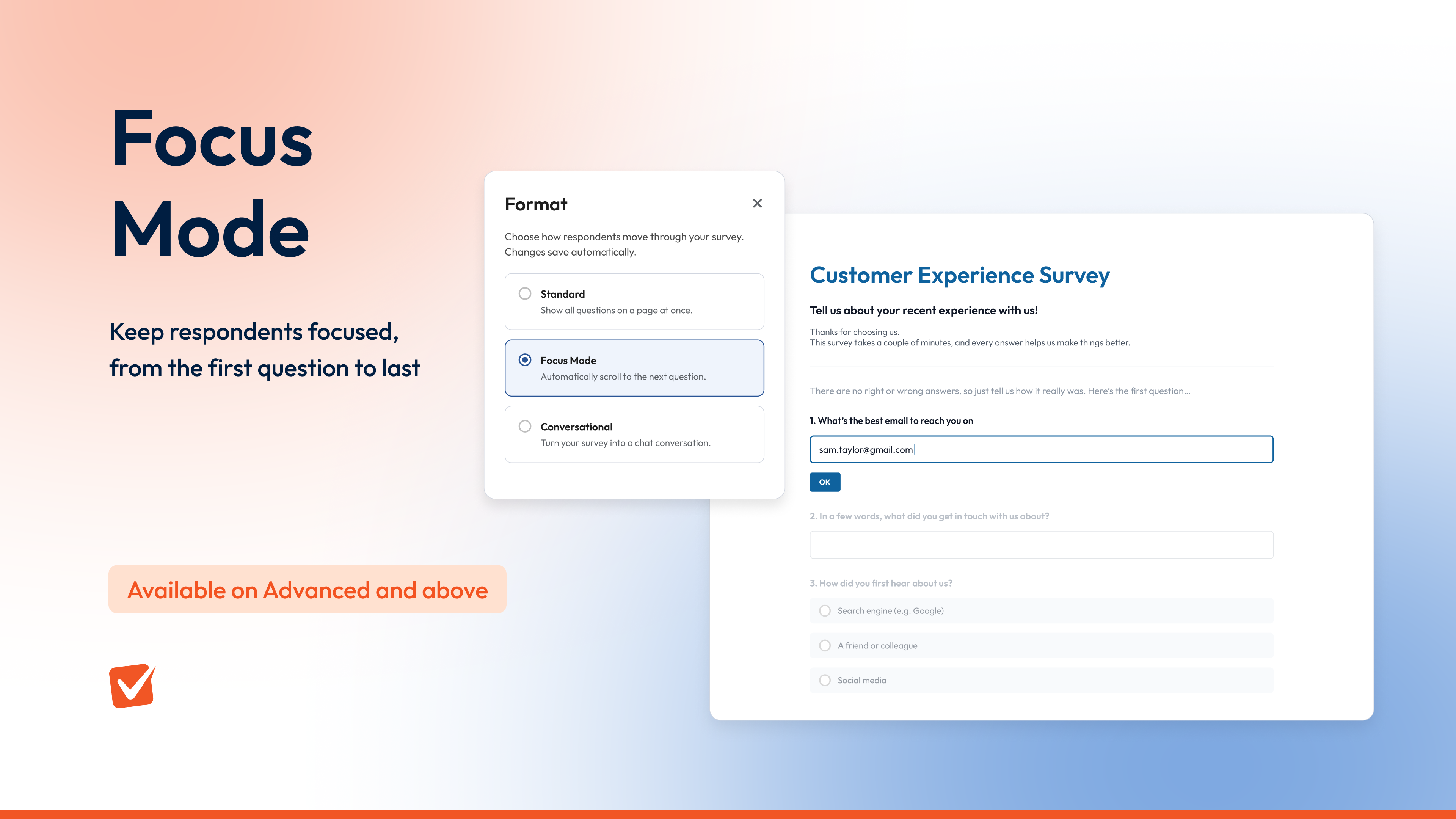
Long survey pages scatter attention. Focus Mode keeps it in one place: the active question is highlighted while the rest of the page recedes, and when a respondent answers, the survey scrolls to the next question automatically.
Respondents keep control. They can scroll back to change an answer or bring any question into view whenever they like. It’s the same survey, presented with focus.
Nothing to rebuild
Switching format changes nothing underneath: your questions, responses and reports stay exactly as they are, and the chosen format follows your survey on every channel you share it through. Question display logic keeps working too. If your survey contains something a format can’t show, the editor lists exactly what to change before you switch, and switching back restores your settings and layout.
Switch formats in seconds
- Open your survey and go to the Build step
- Select Format at the top of the designer
- Choose Standard, Focus Mode, or Conversational
Your survey switches straight away, and you can change format again whenever you like.
A few things to know
- Conversational surveys work best kept short, around 15 questions or fewer
- A conversational survey flows as one continuous page, so page breaks and skip logic don’t apply while it’s switched on
- Some question types, including matrix, ranking, slider and image choice, aren’t available in conversational format yet, and the editor tells you exactly what to change if your survey includes one
- End messages, like your thank-you page, appear as a final chat message
- The format applies to the whole survey rather than to individual pages or questions
- Standard remains the default for every survey until you change it
Conversational survey format is included on Growth plans and above.
Focus Mode format is included on Advanced plans and above.
If your plan includes them, open a survey, select Format and try each one on your next send; both formats work with surveys you already have.
Helpful links
Get started and create your first survey


